There is a specific dopamine hit that comes from checking an item off a digital to-do list. Click. Gone. It feels productive. It feels clean.
If you are buying milk or eggs, that "disappearing act" is exactly what you want. You buy the milk, you drink the milk, the milk is gone.
But for those of us who live for organization—the kind of people who binge-watch The Home Edit and actually find joy in color-coded bookshelves—standard list apps can be frustratingly short-sighted.
We all know there is a massive difference between a carton of eggs (a consumable) and a pack of expensive rechargeable batteries (an asset). The problem is that apps like Google Keep or Apple Reminders treat them exactly the same.
- You write it on the list.
- You buy it.
- You check it off.
- The data vanishes.
The "Junk Drawer" Effect
Let's look at those rechargeable batteries. You buy them because you need them. You check them off the list. But because the data disappeared the moment you bought them, you didn't create a record of where they went.
Three months later, when the remote dies, you know you bought batteries. But are they in the kitchen drawer? The garage? The hallway closet?
This is the hidden friction in most organization systems. We treat our permanent possessions like temporary groceries. We end up rebuying things we already own simply because our "To-Do" list didn't talk to our "To-Keep" list.
The Fix: Turn Your Shopping List into an Automated System
The solution isn't to stop making lists. The solution is to use a tool that respects the difference between "done" and "stored."
This is a specific "power user" workflow we built into SmartStow. While we are known for our voice-first packing features, our List Settings function is the secret weapon for anyone trying to maintain a "place for everything and everything in its place."
Turn Shopping into Inventory Automatically
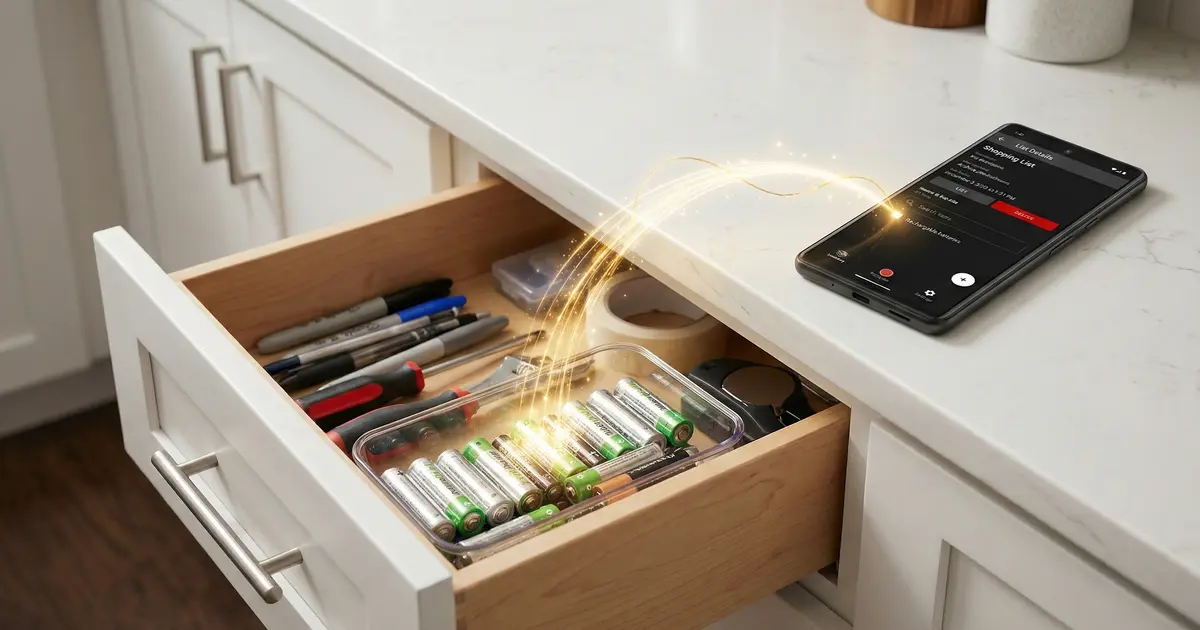
SmartStow's List Settings move checked items directly to your inventory—no extra steps.
Start Free Trial30-day free trial • No credit card required
Here is the "Insider" Workflow:
In SmartStow, you can create a specific shopping list—let's call it "Hardware Run"—and set a Destination Rule.
The Old Way: Buy "Rechargeable Batteries." Check box. Item deletes. You toss the batteries in a drawer. You lose the batteries.
The SmartStow Way:
- Create a list called "Hardware Run."
- In List Settings, set "Move to List or Inventory" → "Container: Utility Drawer - Bin 2".
- Go shopping. Buy the batteries.
- Check the box.
Here is the magic: The item doesn't disappear. It moves.
By checking the box, you are automatically logging that item into your permanent database, assigned to the specific container you selected. You have instantly transitioned the item from "To-Buy" to "In-Inventory" without any extra clicks.
Stop Managing Chaos, Start Building a Database
This feature transforms your shopping from a chore into a system-building exercise. It validates the need for a tool that manages your lifestyle, not just your groceries.
- For Hobbyists: Create a "Craft Store" list that auto-stows items to "Scrapbook Bin A."
- For Parents: Create a "Christmas Gifts" list that auto-stows to "Secret Closet - Top Shelf" (so you never forget where you hid the presents).
Stop Deleting Your Lists. Start Organizing Your Life.
SmartStow turns every shopping trip into a system-building exercise. Know where everything is, forever.
30-day free trial • No credit card required • Voice-first inventory
Speaking of hidden gifts... Learn how to avoid The "Safe Place" Paradox—the holiday phenomenon where we hide gifts so well we can't find them ourselves.